
Clear the pile in one go
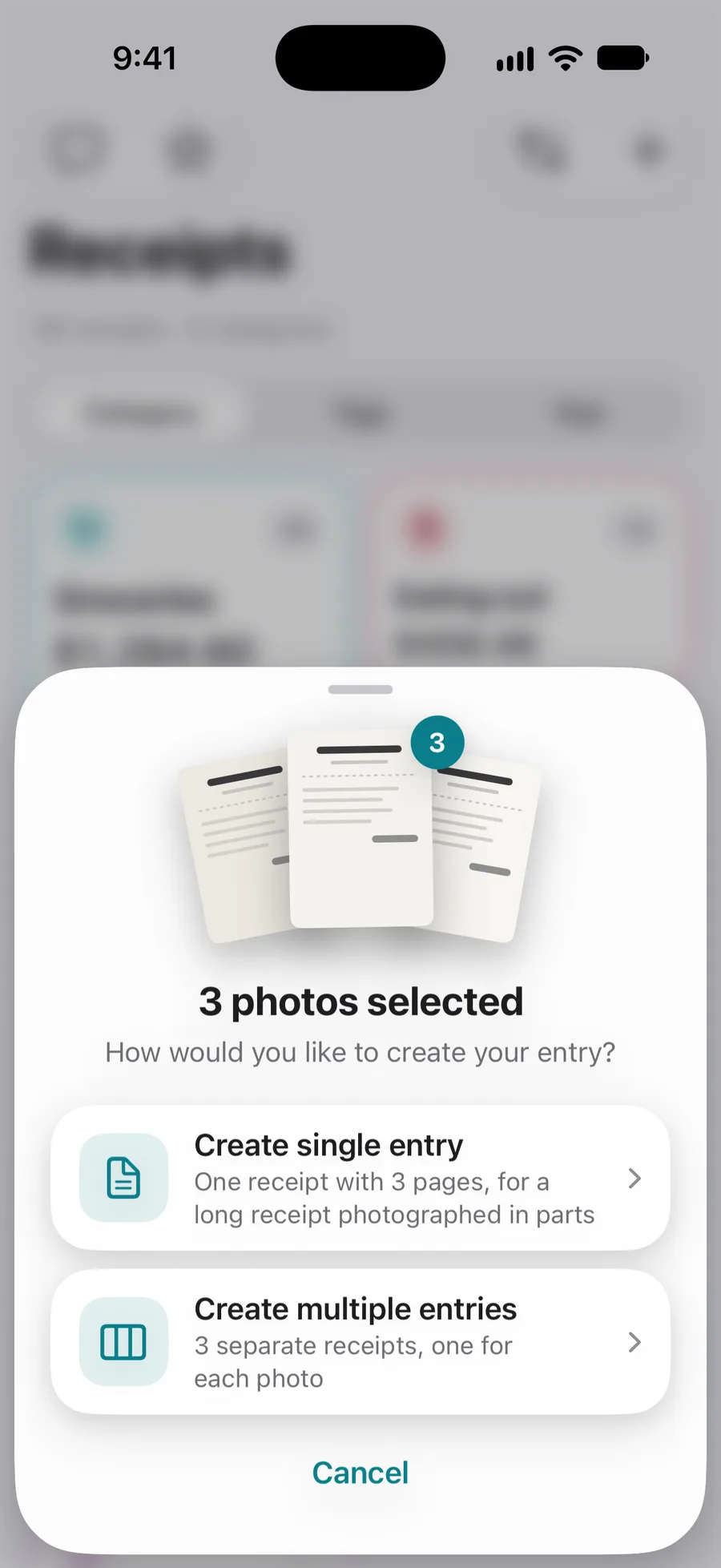
Photograph a stack of receipts, or pick several photos, and save them as one receipt with several pages or as separate receipts, one per photo.
iPhone, iPad & AndroidSnap a receipt and the merchant, total, tax and date fill in for you. Sort it by category and tag, track expenses, mileage and warranties, then hand over a clean PDF, Excel or CSV when it matters. Now redesigned for iPhone, iPad and iPhone Duo.
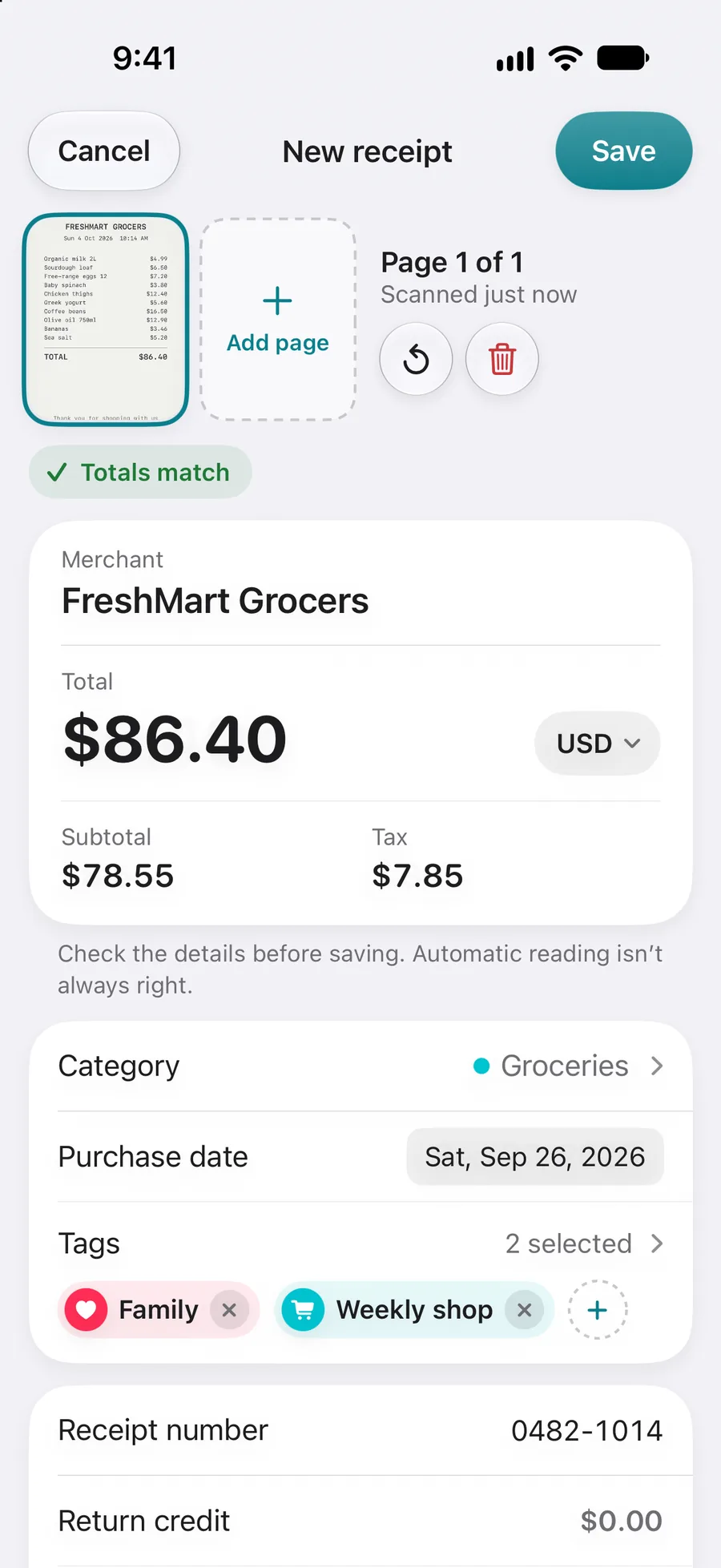


Photograph it or share it in. The merchant, total, tax and date fill in.
Categories, tags and year. Find it again by merchant, product or amount.
Expenses, income, reimbursements, mileage and warranties in one place.
A clean PDF, Excel or CSV for your accountant, your boss or your records.
Receiptly connects the purchase to the things that matter afterwards: the expense, the reimbursement, the report, the warranty, and the moment you need to find it again.
Receipt scanning
Take a photo and Receiptly reads the merchant, total, tax and purchase date on your device, then checks that the totals add up. You look it over, tap Save, and the paper can go in the bin.
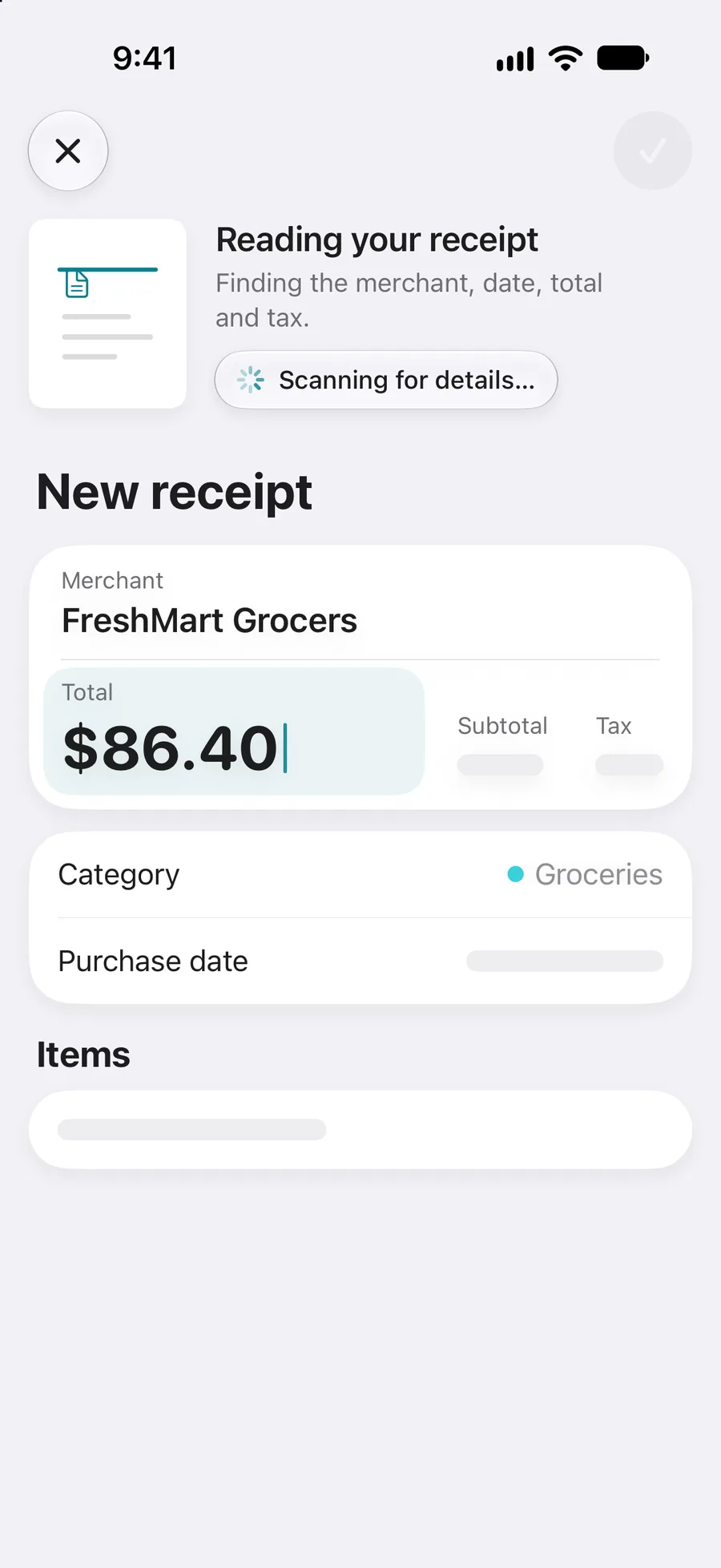
More ways in
Photograph a stack of receipts, or pick several photos, and save them as one receipt with several pages or as separate receipts, one per photo.
iPhone, iPad & Android
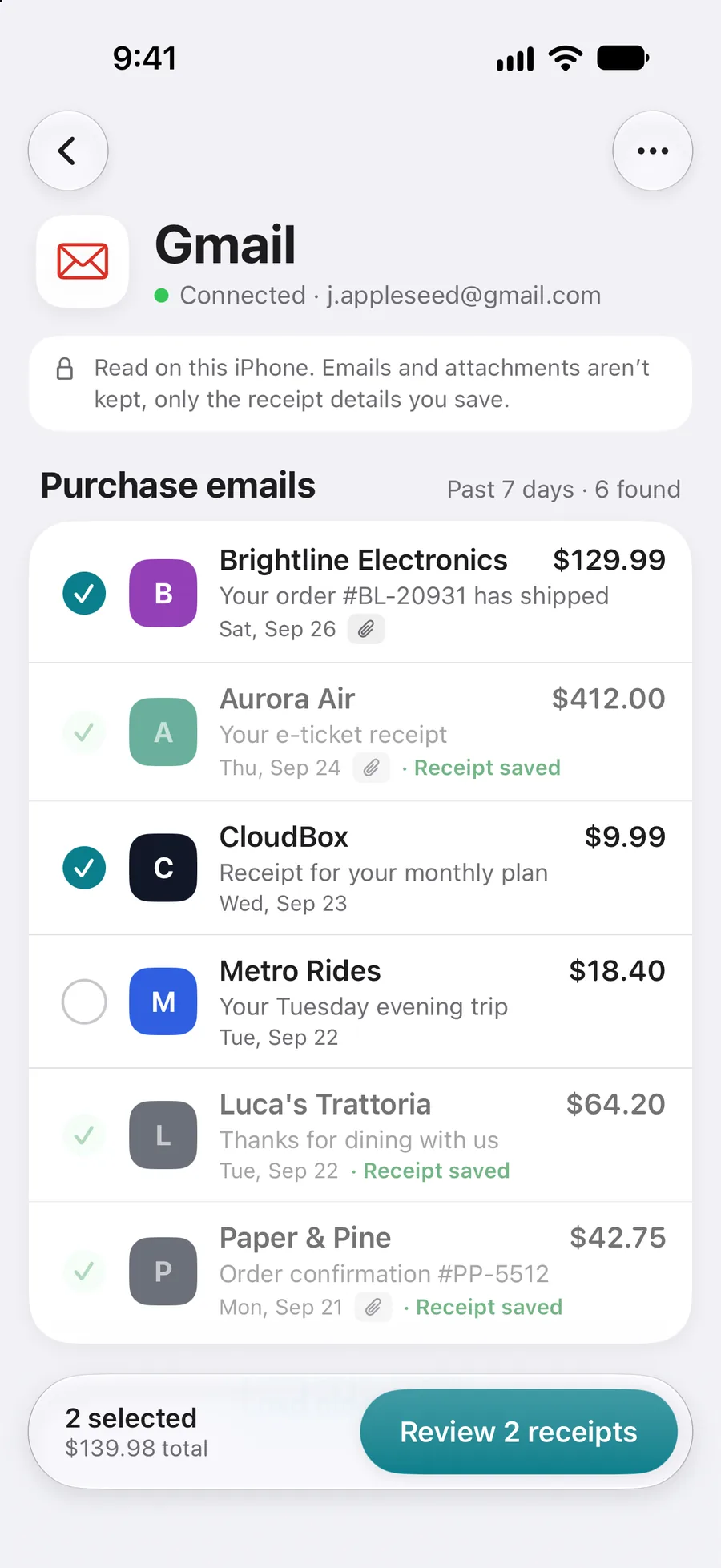
Connect Gmail, pick the purchase emails you want, and save them as receipts. Emails and attachments are read on your device and are not kept. How Gmail import works.
iPhone & iPad
Share a photo or PDF receipt from Mail, Files or Photos straight into Receiptly, and the same details fill in.
iPhone & iPadMade for iPhone Duo
Receiptly's redesign follows the display. Folded, the tab bar sits in a glass column on the edge, where your thumb already is. Open, the receipt list and the details sit side by side with the fold between them, like a small iPad.


iPad
On iPad the sidebar keeps Receipts, Expenses, Reports and your categories one tap away, and every receipt opens beside the list. Drag receipt photos in from Files or Photos, and let iCloud keep your iPhone, iPad and iPhone Duo in step.

Choose your platform
Scan receipts, organize purchases, track expenses and warranties, and export reports on both. Storage, sync and integrations depend on your device.
Keep your receipt library on your device, with optional iCloud sync across your Apple devices.
Keep your receipt library on your Android device, with no Receiptly account to create.
Smart Scan is optional on both platforms and can send a reduced receipt image to Google's cloud AI services. Gmail imports on iOS use a separate, on-device process. Read about scanning and data use.
Expense tracker & reports
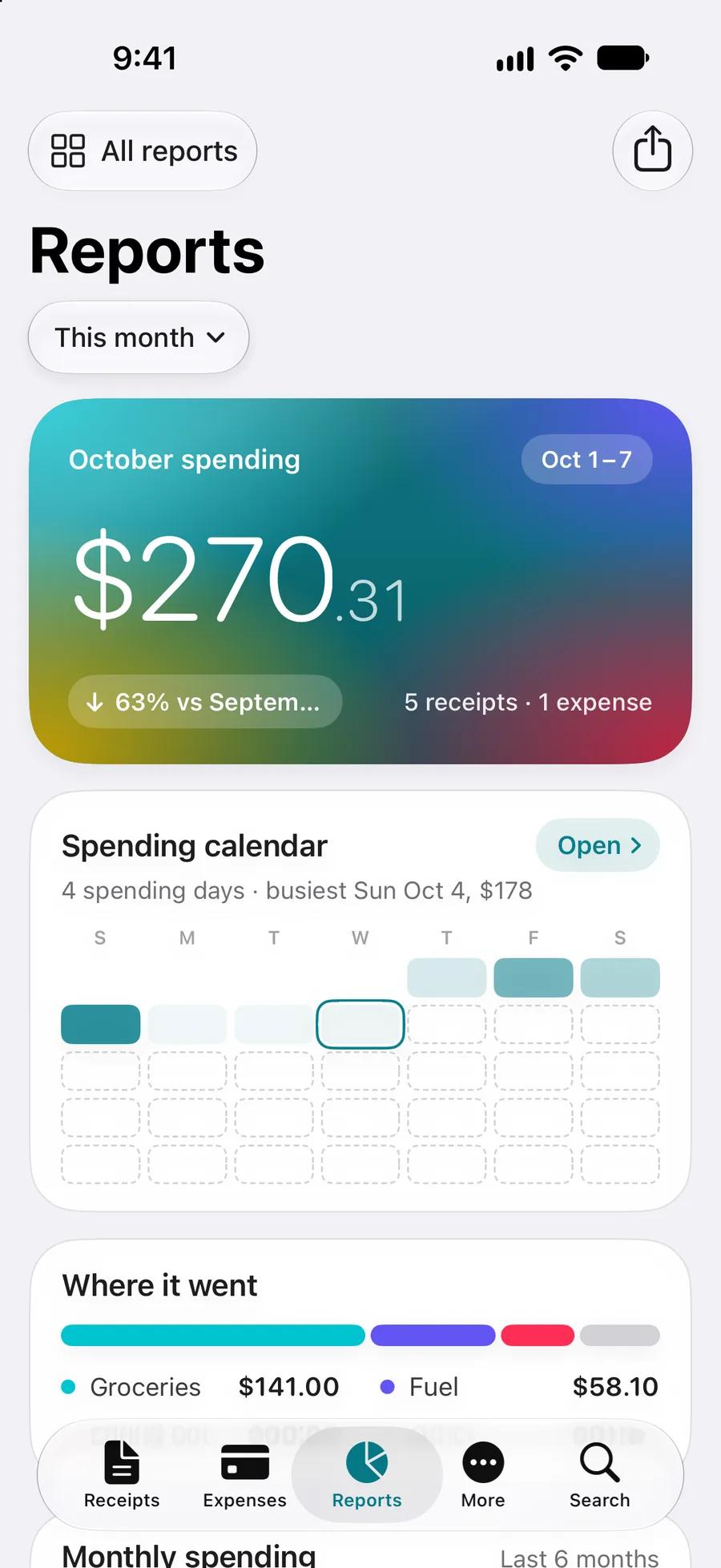
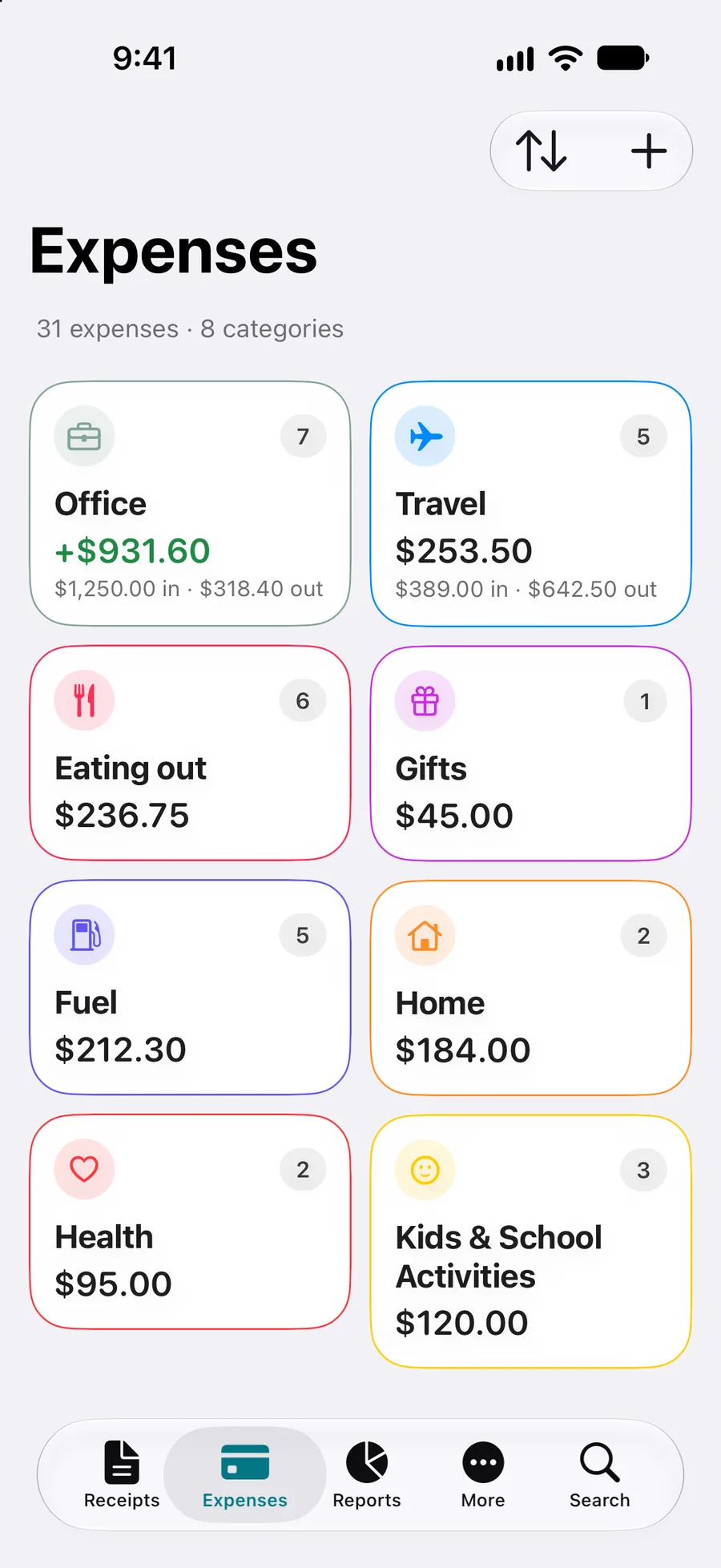
Expenses, income, credits and reimbursements live beside your receipts, grouped the same way. Log a trip and the mileage claim works itself out from the distance and your rate. Reports show the month at a glance: a spending calendar, where it went, top categories and what changed since last month.
Receipt and expense exports
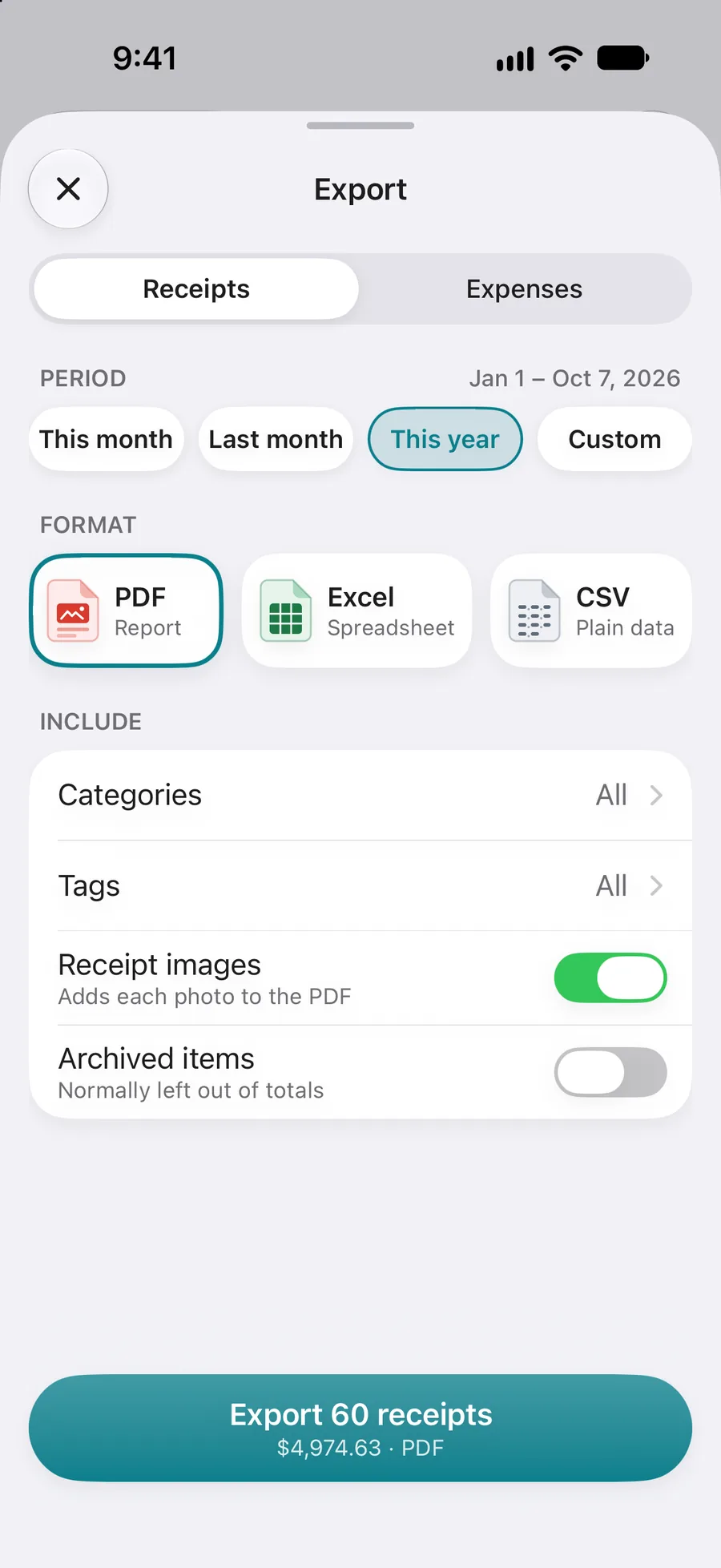
Pick receipts or expenses, a period such as this month, last year or, where offered, your tax year, and the categories and tags to include. Then export a PDF report with every receipt photo attached, an Excel workbook with a summary sheet, or plain CSV for anything else.
Export and full reports come with Receiptly Pro on iOS and Receiptly Plus on Android. More about exporting.
Receipt organizer
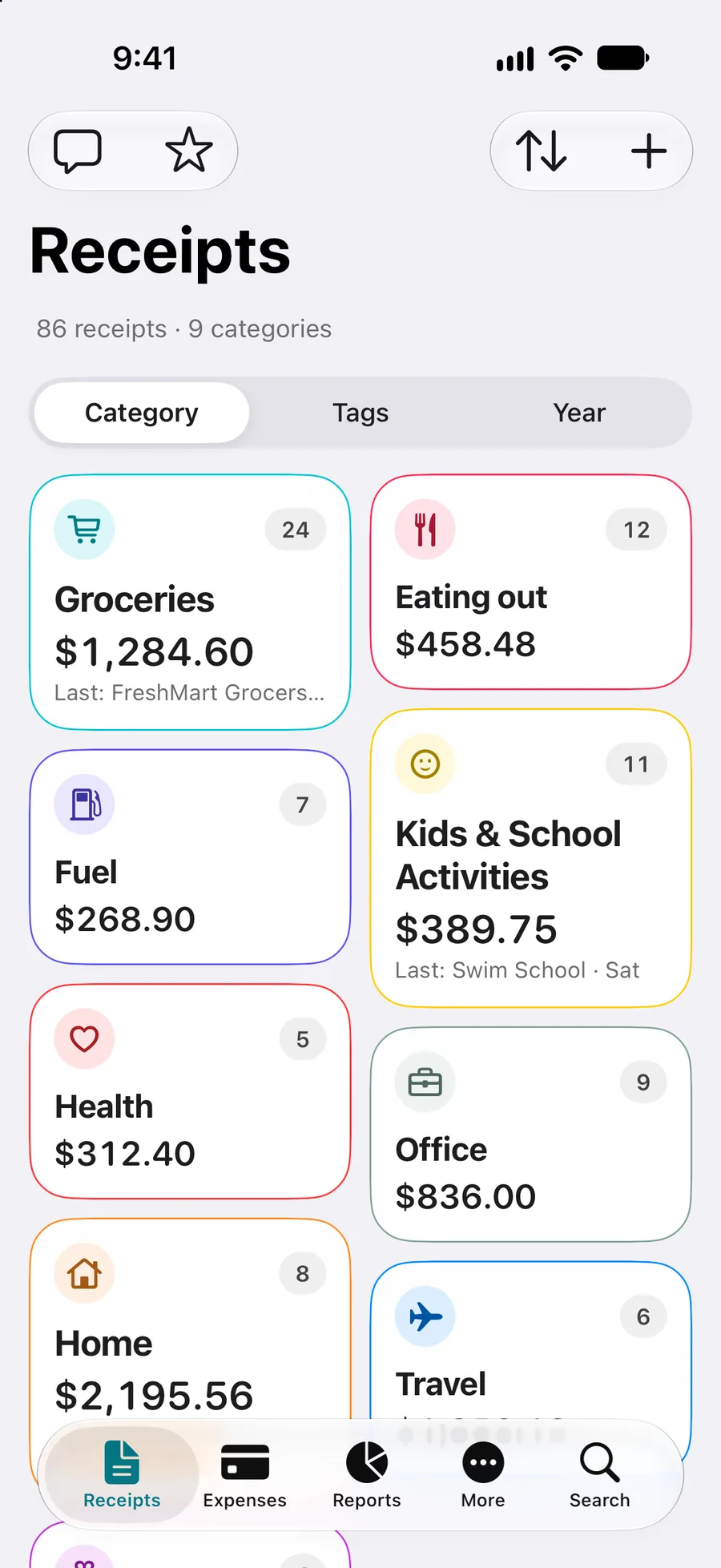
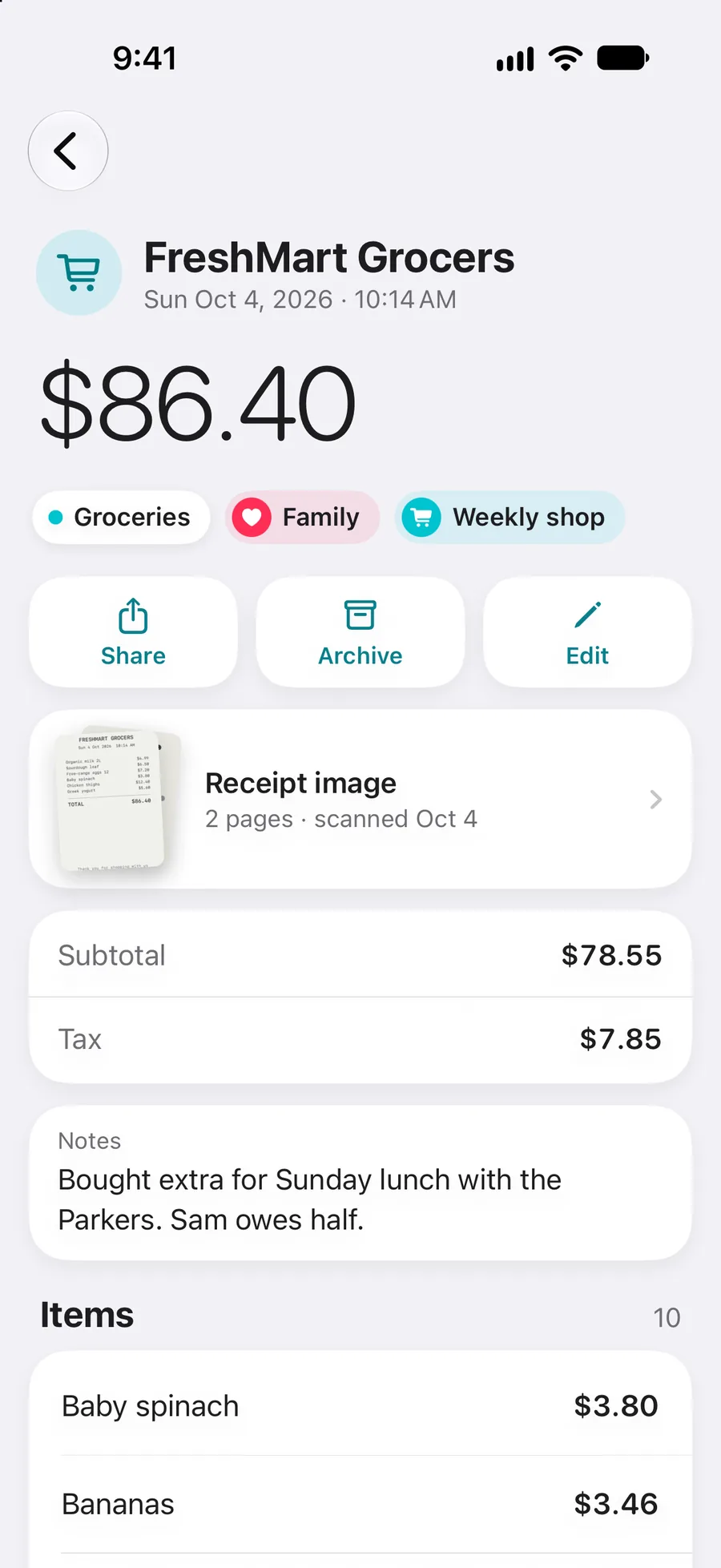
Browse by category, tag or year. Open a receipt to see the photo, the line items, your notes and the products on it, then share, archive or edit it. Search by merchant, product, tag or amount. On iPhone and iPad, optional iCloud sync keeps every Apple device in step. On Android, the library stays on that device.
Built for what happens next
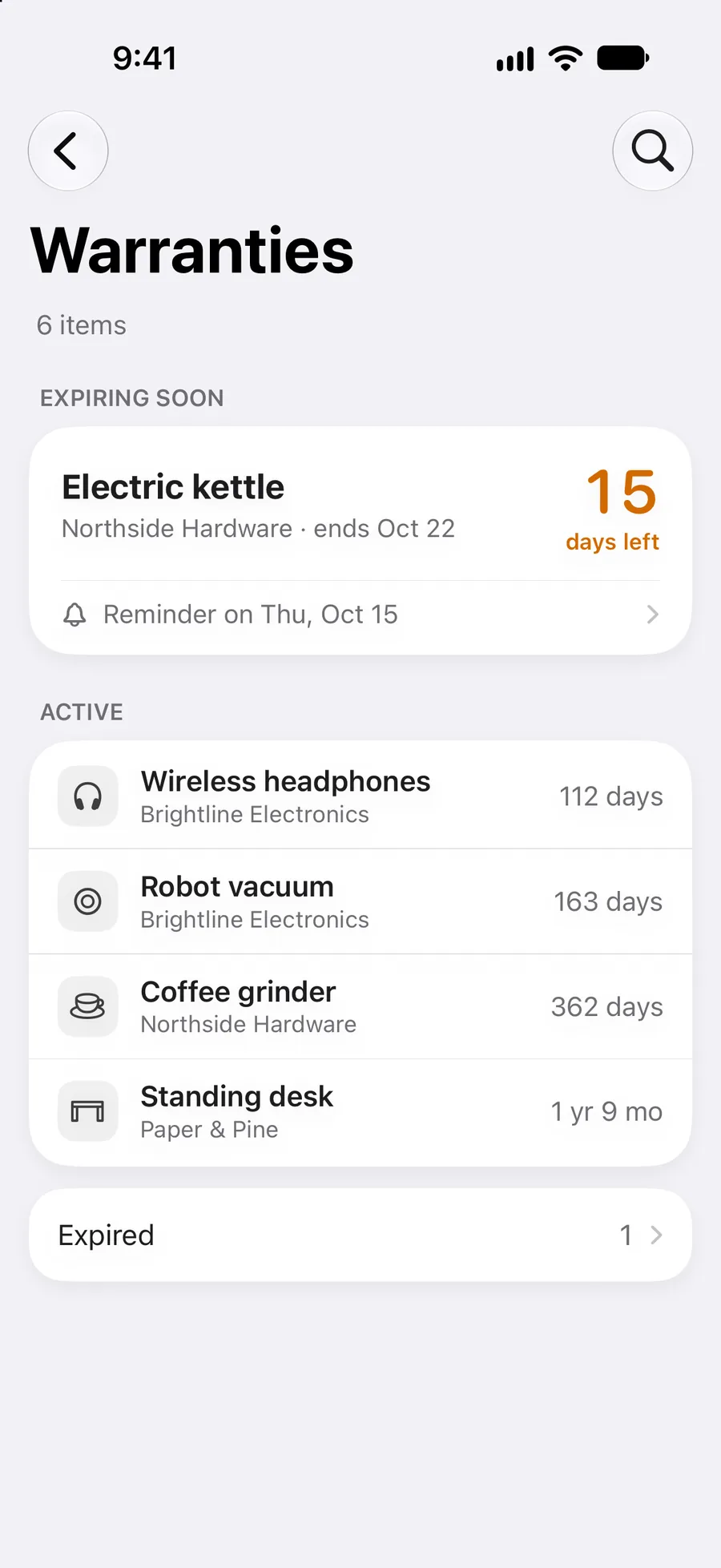
Add the product, record the cover, and get a reminder before it runs out. Expiring soon, active and expired, at a glance.
How warranty tracking works
Choose the receipt's currency, save the exchange rate, and see the value in your home currency in reports and reimbursements.
Multi-currency receiptsLog the trip in kilometres or miles with your rate. The claim is calculated for you and filed with your expenses.
Mileage on iPhone & iPadScan a receipt, log mileage or check warranties by voice, and chain Receiptly's actions into your own Shortcuts.
Siri & Apple ShortcutsKeep a category total or upcoming warranties on your Home Screen. Share a photo or PDF into Receiptly from any app.
iPhone & iPadOn iPhone and iPad, Receiptly is translated into more than 30 languages and follows your region's currency and date formats.
30+ languagesRead the full policy for iOS, Android and optional Gmail import, including what data the app accesses, how it is used and shared, how long it is kept, and how to disconnect or delete it.
Read the full privacy policy“Scan a receipt with Receiptly”
“Create an expense in Receiptly”
“Log mileage in Receiptly”
“Find receipts in Receiptly”
“Import a receipt into Receiptly”
“Show my spending summary in Receiptly”
“Show warranties in Receiptly”
Siri & Apple Shortcuts
Receiptly's actions show up in Siri and the Shortcuts app as soon as it's installed, with nothing to set up. Say the phrase, or chain the actions into your own automation, like turning a Wallet payment into an expense without typing the amount again.
Siri and Shortcuts are available on iPhone and iPad.
Take a closer look
App Store reviews
“Does what I need without being overcomplicated.”
“Will make end of tax year a breeze.”
“Saved me so much time instead of using spreadsheets.”
Frequently asked questions
Need help with something else? Read all FAQs or email support.
Yes. Download it on the App Store for iPhone, iPad and iPhone Duo, or on Google Play for Android.
Yes. The redesigned app follows the display. Folded, the Receipts, Expenses, Reports and More tabs sit in a column on the edge of the screen. Open, the list and the details sit side by side, like on iPad.
No. The Android library does not sync with iPhone or iCloud. Each install keeps receipts on that device. On iPhone and iPad, optional iCloud sync can share a library across your Apple devices only.
On-device scanning reads the merchant, total, subtotal, tax and purchase date, and checks that the totals add up, so you review and save instead of typing. Smart Scan is an optional extra pass for tricky receipts.
Yes. Photograph a stack or select several images, then save them as one receipt with several pages or as separate receipts, one per photo.
On iPhone and iPad, you can connect Gmail, pick the purchase emails you want, and review the details before saving them as receipts. Email text and attachments are read temporarily on your device and are not kept. You can disconnect Gmail without deleting saved receipts. How Gmail import works.
Yes. Organize personal or business spending with categories and tags, and track expenses, income, credits and reimbursements alongside your receipts.
Yes, on iPhone and iPad. Log the distance in kilometres or miles with your rate, and the claim is saved with your expenses.
Receiptly exports receipts and expenses as a PDF report, an Excel workbook or a CSV file, for a month, a year, a custom period or, where offered, your tax year. Export is a Receiptly Pro feature on iOS and a Receiptly Plus feature on Android. More about exporting.
Yes. Add products to a receipt, record their warranty dates, and get a reminder before the cover runs out. How warranty tracking works.
Yes. Keep a home currency, choose another currency for a receipt, and store its exchange rate so reports and reimbursements show the converted value.
Yes, on iPhone and iPad. Ask Siri to scan a receipt, create an expense, log mileage, find receipts, import a receipt, show your spending summary or show warranties, or use the same actions in the Shortcuts app.
Receipt data is stored on your device. On iOS it can sync through your iCloud account if you enable that. The Android library does not sync with iPhone or iCloud. Smart Scan is optional and may send a reduced receipt image to Google AI services when enabled. Gmail content is not sent to cloud AI services. Read the full privacy policy.
Receiptly is free to download. Optional Receiptly Pro purchases on iOS, and Receiptly Plus purchases on Android, unlock features such as Smart Scan, exports and full reports, plus Gmail import on iPhone and iPad. On Android, adding receipts, reports and export also require Plus. Android Plus may include a 3-day trial.

Receiptly for iPhone, iPad, iPhone Duo & Android
Scan it. Organize it. Find it when it matters.

